The problem
Less chasing.
More coaching.
Client intake, tasks, documents, lessons, and follow-ups can become scattered across conversations and spreadsheets, leaving both coach and client unsure what comes next.
02 · Independent project · Business credit coaching
PrototypeA calmer shared workspace for a coach and her clients, bringing action plans, learning, and follow-ups into one place.
Try clickable demo Meet SiaNo sign-in required · Fictional data · Local browser persistence
The problem
Client intake, tasks, documents, lessons, and follow-ups can become scattered across conversations and spreadsheets, leaving both coach and client unsure what comes next.
The approach
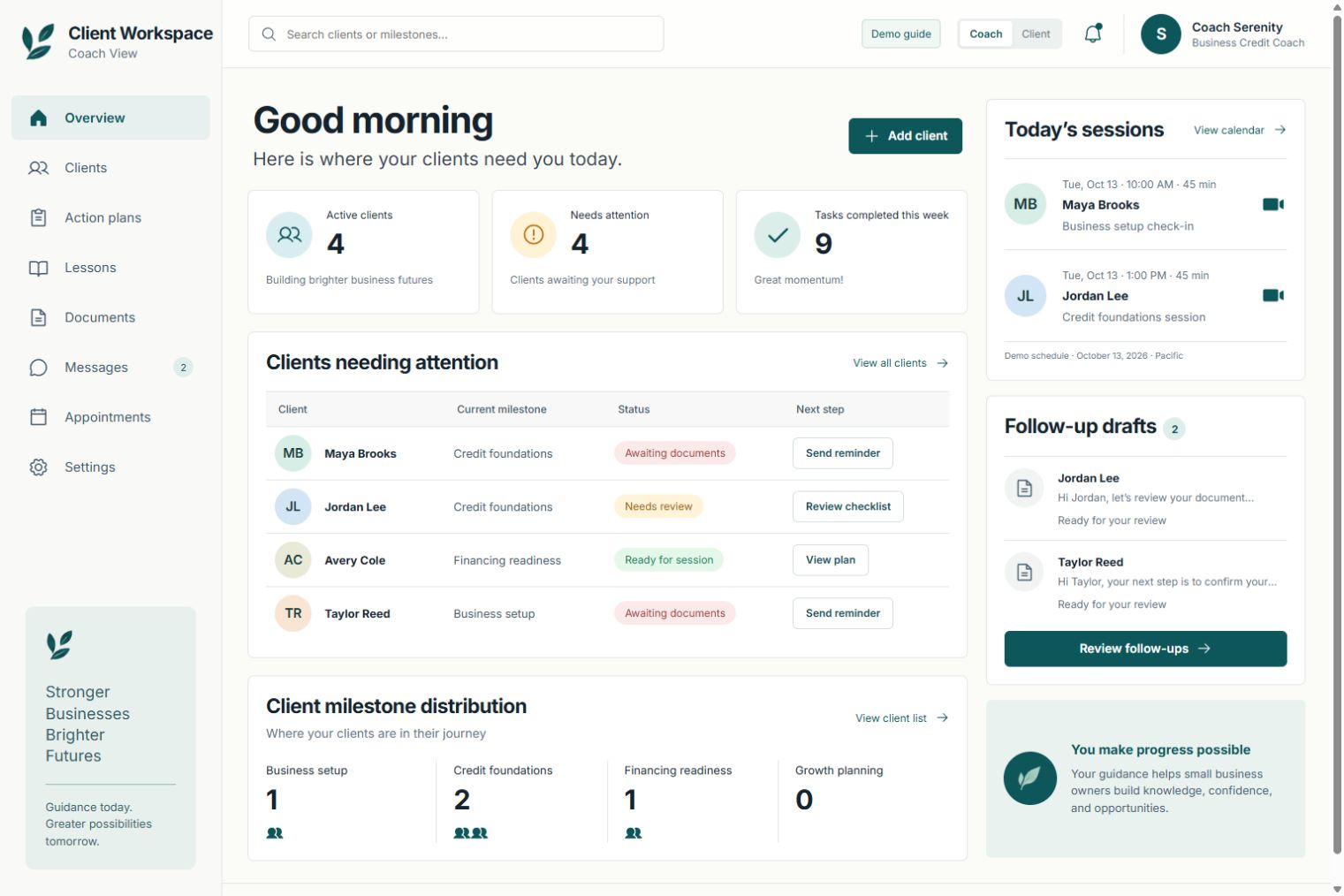
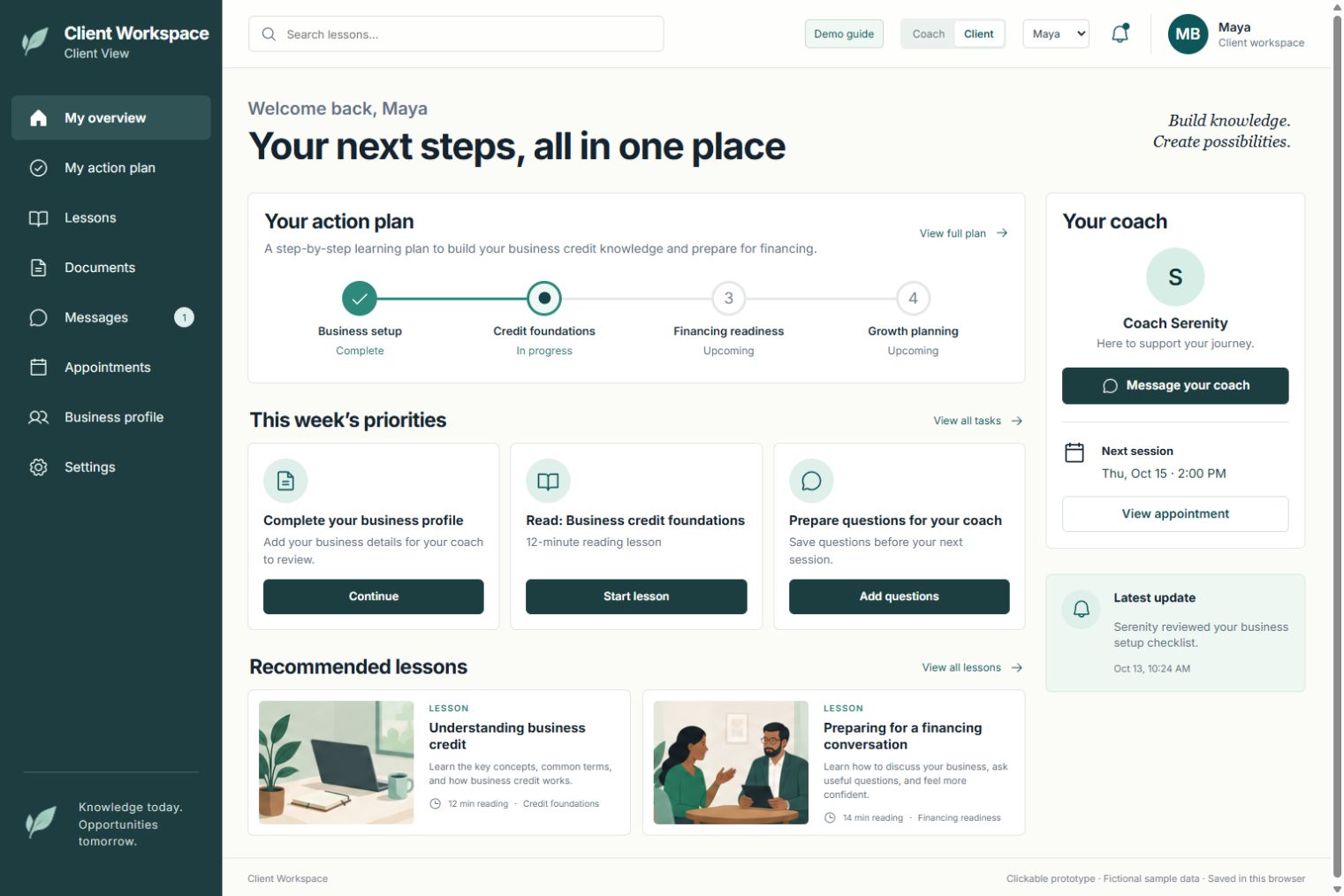
An independent prototype built for a friend’s coaching workflow. Coach and client views share a clear action plan, learning progress, document checklist, messages, and appointments.
Serenity Interactive Assistant
A full-page teal and mint presence brings the selected fictional client’s plan into a contextual conversation. Explore next steps, draft a follow-up, or return to the workspace to review it.
Sia uses contextual demo responses and prerecorded fictional Sohee voice previews on this website. A live AI or voice-generation service is not connected.
Explore SiaWhat you can try
Complete intake as a client, then review it as the coach. Assign, submit, approve, or return tasks with feedback.
Read sample lessons and complete knowledge checks. Linked tasks update when a lesson is completed.
Try internal demo messages, editable follow-up drafts, and appointment requests that the coach can confirm.
Select a fictional file to record its name and size, then review or return the checklist item. File contents are never uploaded.
Explore a luminous teal conversation space that suggests next steps from fictional client context and hands drafts into the workspace for review.
Walk through both sides
Prototype scope
This prototype was built for a friend’s coaching business and awaits discovery and curriculum review with Serenity. Role switching is a demo control. All clients, messages, and appointments are fictional and changes stay in this browser. Settings includes a reset to restore the sample data.
File selection records a filename and size only; file contents are never read or uploaded. No real emails, financing submissions, credit approvals, production login, or external integrations are connected. Learning progress represents completed tasks and lessons.
Clickable coach and client workflows
Discovery and curriculum review with Serenity
Production identity, storage, and integrations